A virtual sitter platform built to scale across hospitals
As Lead Product Designer at Teladoc Health, I owned the end-to-end UX for a 24/7 remote patient monitoring system, aligning product and clinical stakeholders, turning complex needs into testable workflows, and scaling the design across multiple hospital deployments in six months.
Teladoc Health · Lead Product Designer · 6 months
Health systems chose it for UX and dependability
First-time task success rate
Increase in sitter coverage
The problem
Falls are costly, and sitters are stretched thin
In the U.S., 700 to 1,000 patients fall in hospitals every year. Roughly 30% end in injury, often adding 6 to 9 days to a stay and up to $30,000 in cost. The opportunity was a virtual sitter experience that works across environments, prevents critical incidents, and earns trust in remote care.
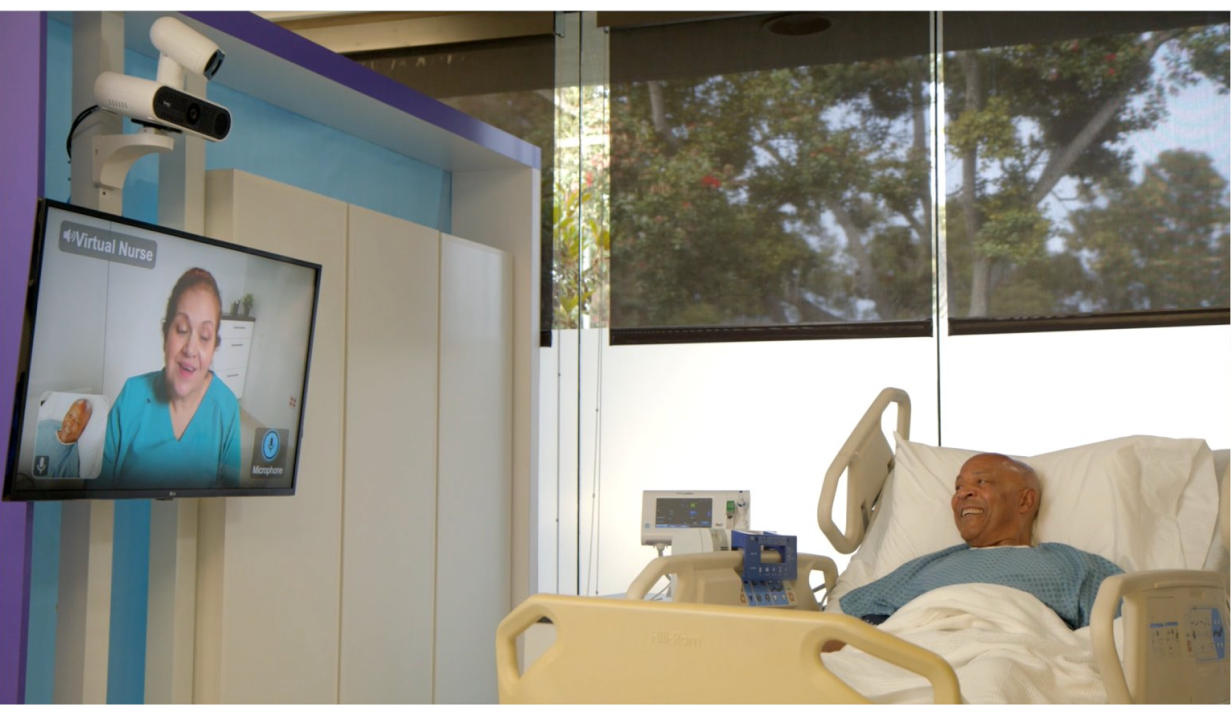
Telehealth for every patient, delivered through the TV in the room
Sitters handle fall prevention, behavioral monitoring, and delirium management, but their workflows are barely supported by current tools. We set out to change that.
Understanding the work
Twelve hours of vigilance, one patient blink away from an incident
Interviews showed virtual sitters are a diverse group, from recent graduates to experienced bedside workers. They read medical terminology, manage monotony and multitasking, build trust over a screen, de-escalate with reflective listening, and stay patient with demanding patients and busy staff.
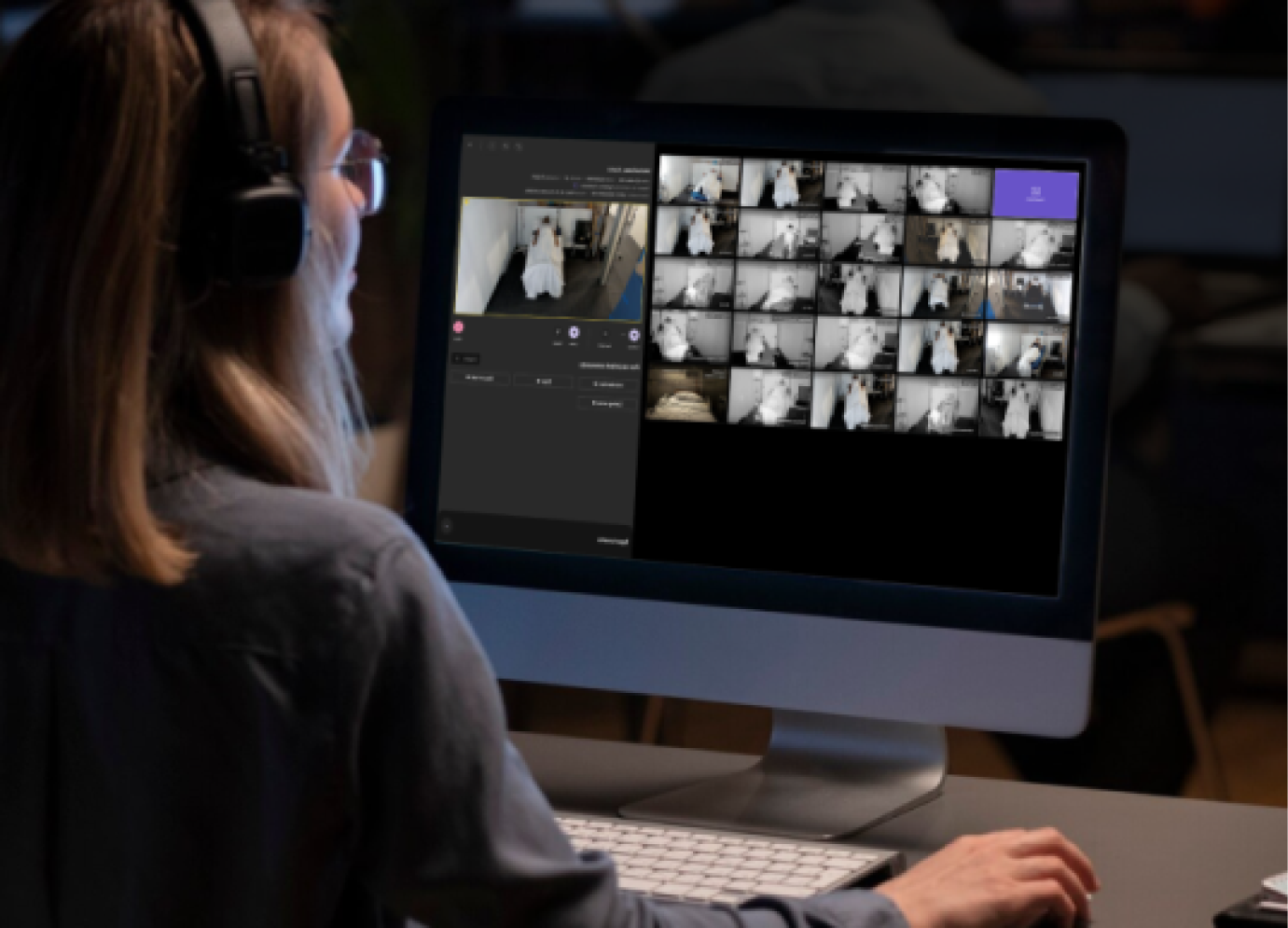
Virtual sitter monitoring
"In this role, you're always on high alert and hyper-focused."
Four challenges at the core of the shift
A shift runs 12 hours. Sitters set up their workspace, check in with bedside staff, and try to stay current across several tools in a fast-paced environment. When a new patient arrives, they often work from incomplete information while making sure the video equipment works. During monitoring, four challenges surface again and again.
- 1. Working with incomplete information
- 2. Getting up to speed quickly on new patients
- 3. Documenting while watching several patients at once
- 4. Handing off cleanly to the next team member
Solving these was the fastest path to a more efficient, more effective sitter, and safer patients.
Approach
A sprint to align the team, then a rhythm to stay ahead
To align fast and reduce risk, I led a Design Sprint on sitter workflows. We prototyped and tested early concepts with clinical users, surfacing the real pain points in sitter-to-nurse handoff and risk detection at scale. The sprint clarified the roadmap and named the foundational needs, scalable alerting and patient context awareness.
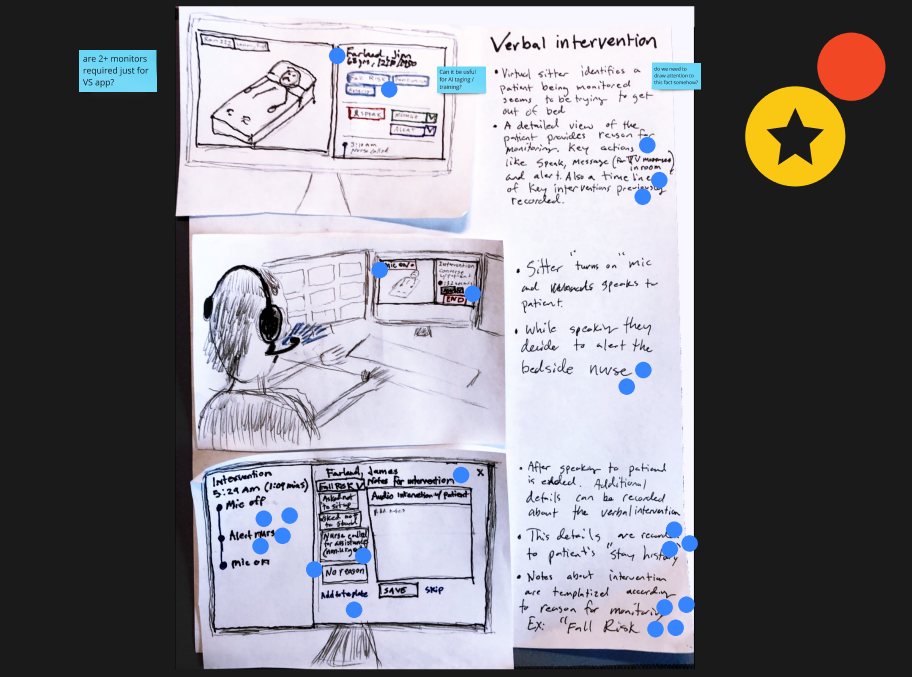
Verbal directives idea
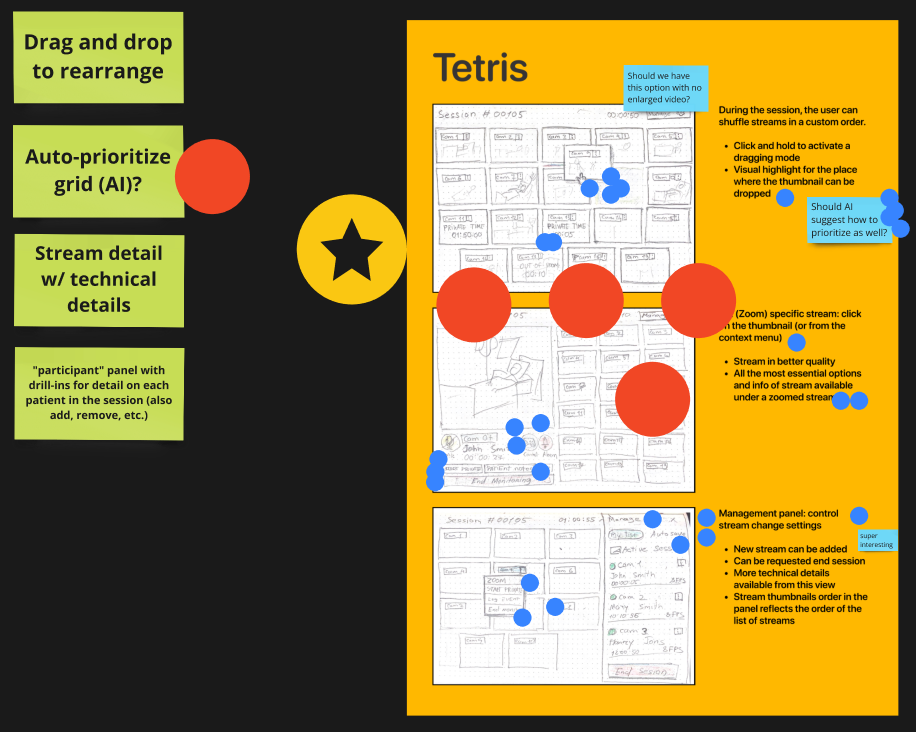
Tetris grid
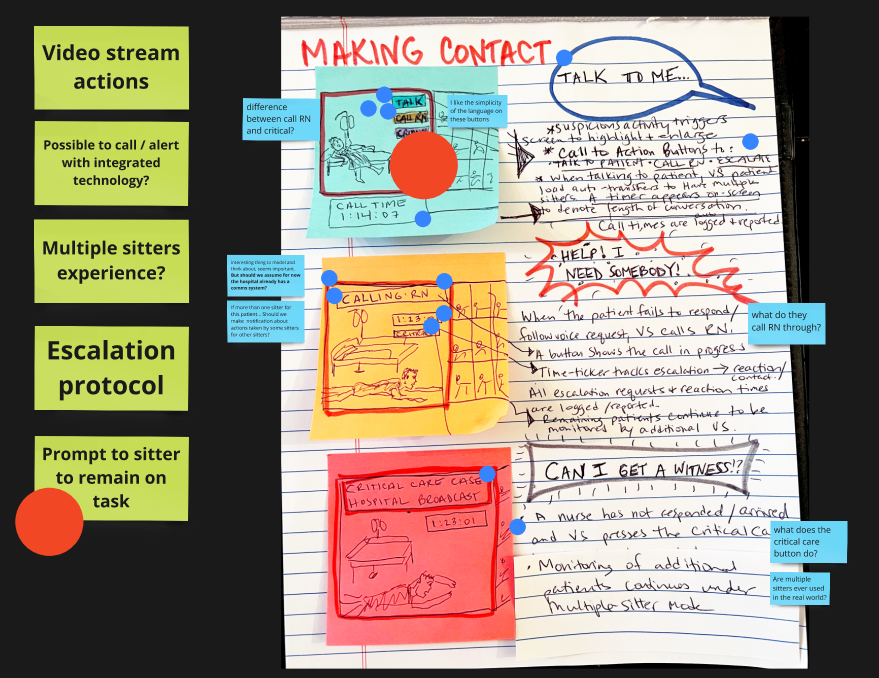
Making contact
By the end we had a clear concept for the platform, a product roadmap, and a shortlist of areas that needed deeper research, like bedside team communication.
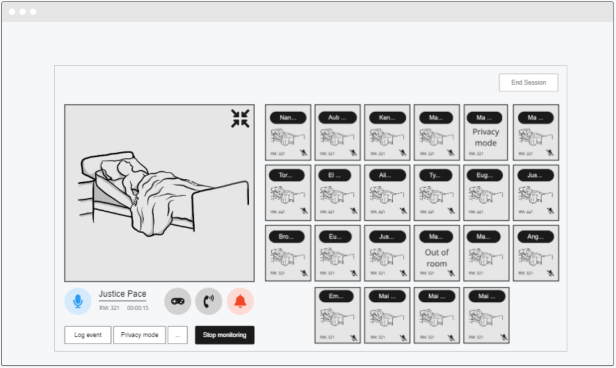
Concept from the sprint
Product goals and guiding principles
From the sprint we set sitter-centric goals that expanded patient capacity without cutting corners on safety. The platform had to monitor up to 25 patients across devices, start and pause monitoring, register patients until the EHR synced, support one-way and two-way communication in multiple languages, transfer patients between sitters at shift change, log events, and show real-time data. Patient safety and clear communication sat at the top as the principles every decision answered to.
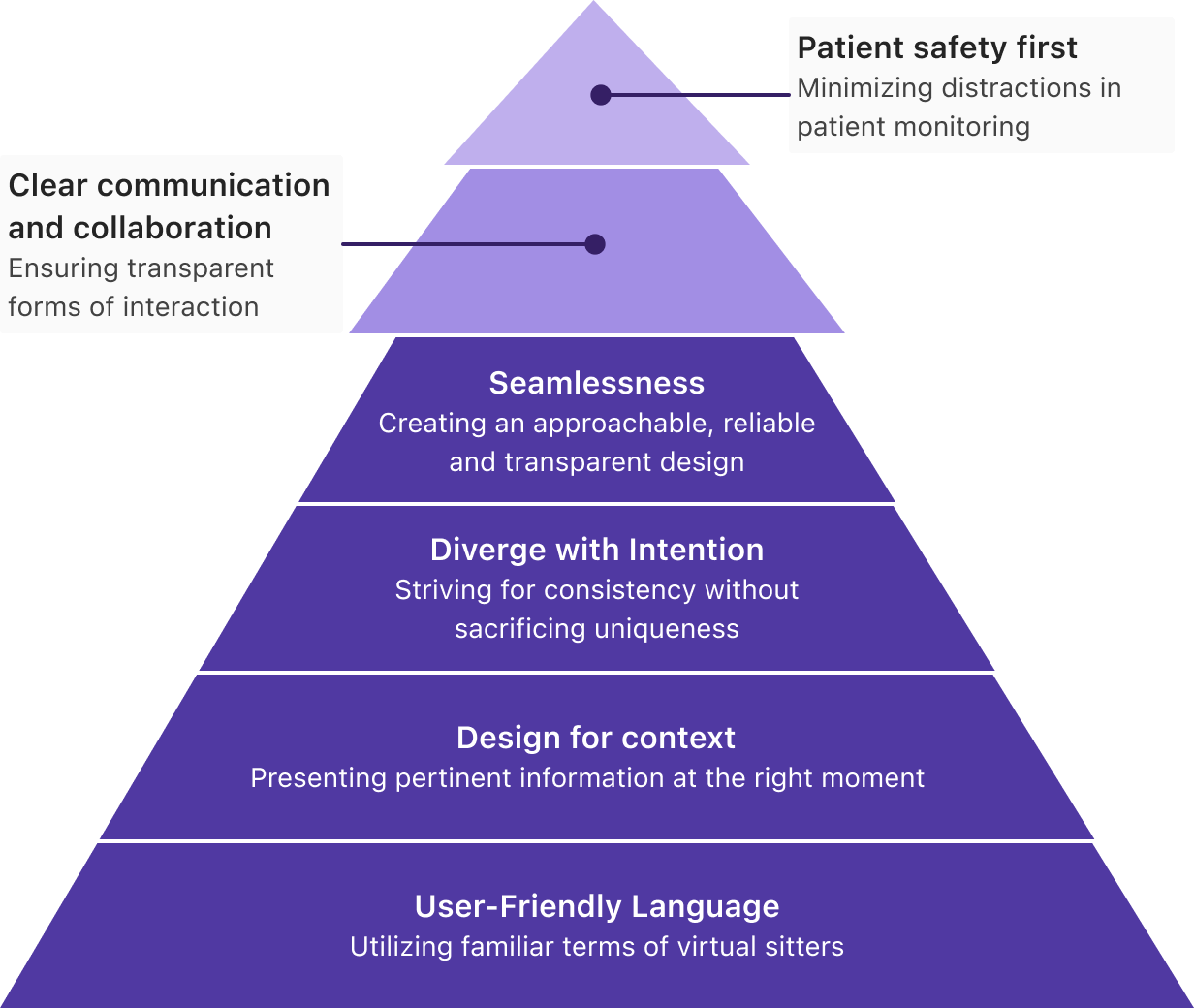
Design principles hierarchy
Reducing rework through alignment
To hit an aggressive four-month timeline, I kept design two sprints ahead of engineering, leaving room to validate edge cases and test risky ideas without breaking sitter workflows. Staying ahead was not enough, so I ran weekly triads with engineering, ops, and care staff. Those working sessions translated clinical reality into scalable product decisions, cut rework, and surfaced blockers early.
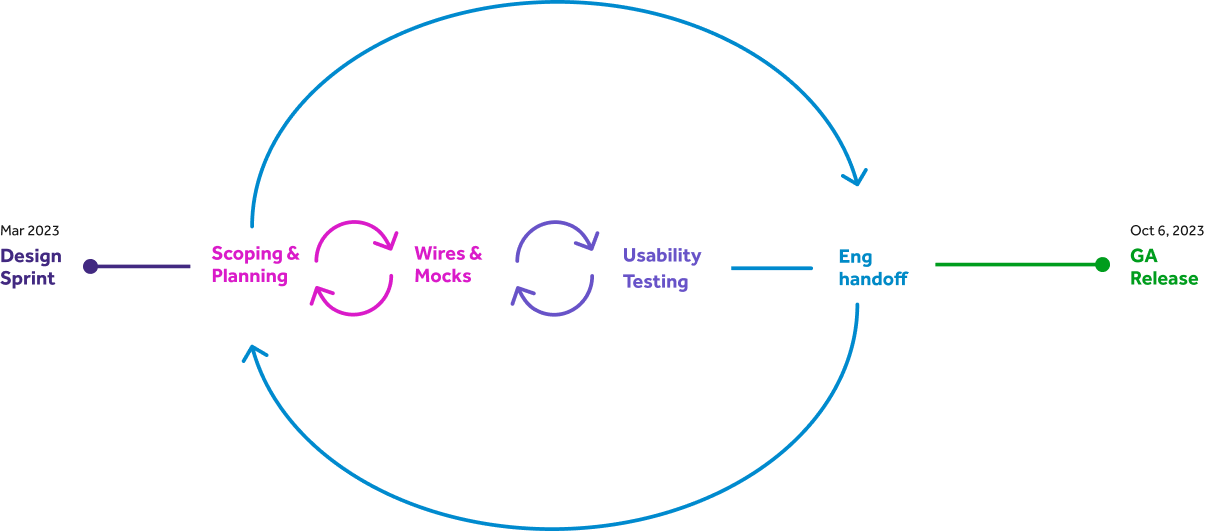
Design process timeline
Scaling through mentorship
A junior designer took on Room Insights, a high-ambiguity feature surfacing real-time telemetry about room activity with no existing pattern to lean on. Rather than just reviewing their work, I built structure around them, a three-legged stool with PM and engineering, coaching on briefs, stakeholder alignment, and weekly design jams. They carried the feature from concept to delivery, earned stakeholder trust, and set a new quality bar that became our model for mentoring designers on 0 to 1 work.
Interface decisions
Decisions that keep sitters in control
Staying ahead of engineering bought room for intentional design and a clear information architecture. When a sitter enlarges a patient's video feed, the layout supports quick decisions and fast escalation during an incident.

Monitoring interface with intervention controls
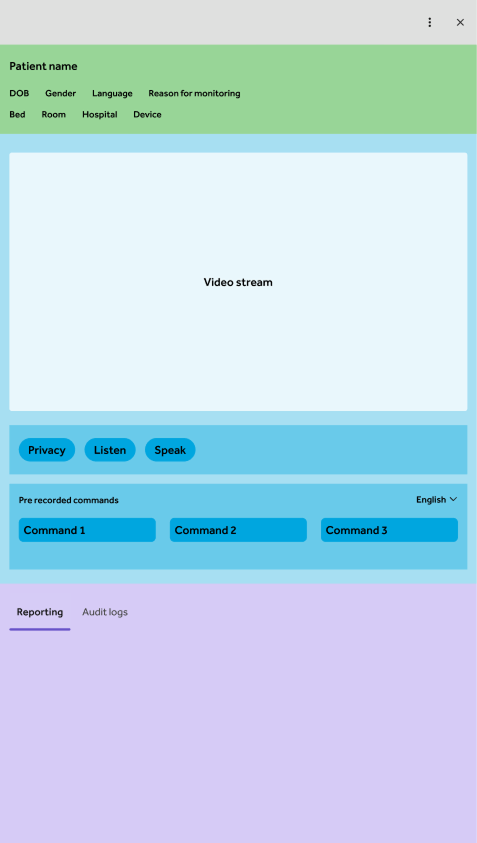
Revised IA
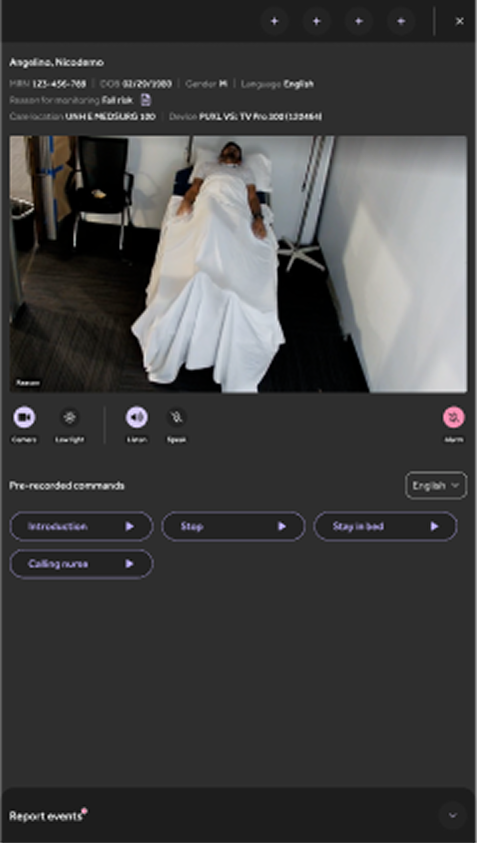
Revised panel
One tap to speak every language
With sitters, product designers, and localization teams, we found the four phrases sitters use most with patients. We translated them into 30 languages, recorded them with AI, and reviewed each for accuracy. Now a sitter can deliver a key phrase with a single tap, reaching non-English-speaking patients instantly.
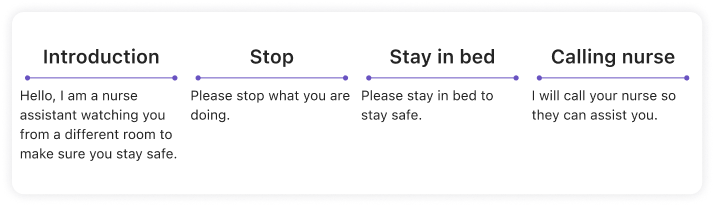
The most common phrases, translated
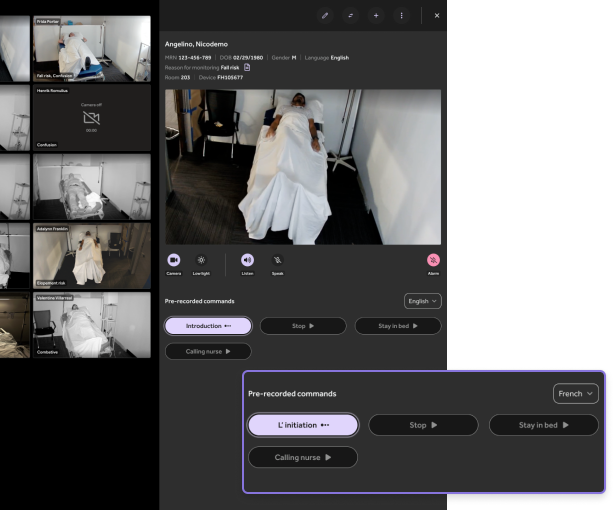
Sitters communicate in a patient's preferred language
AI motion detection on the grid
To point sitters at the right patient, we added AI-driven motion detection to the grid view. A visual cue flags movement or elevated fall risk, so sitters can intervene in time.
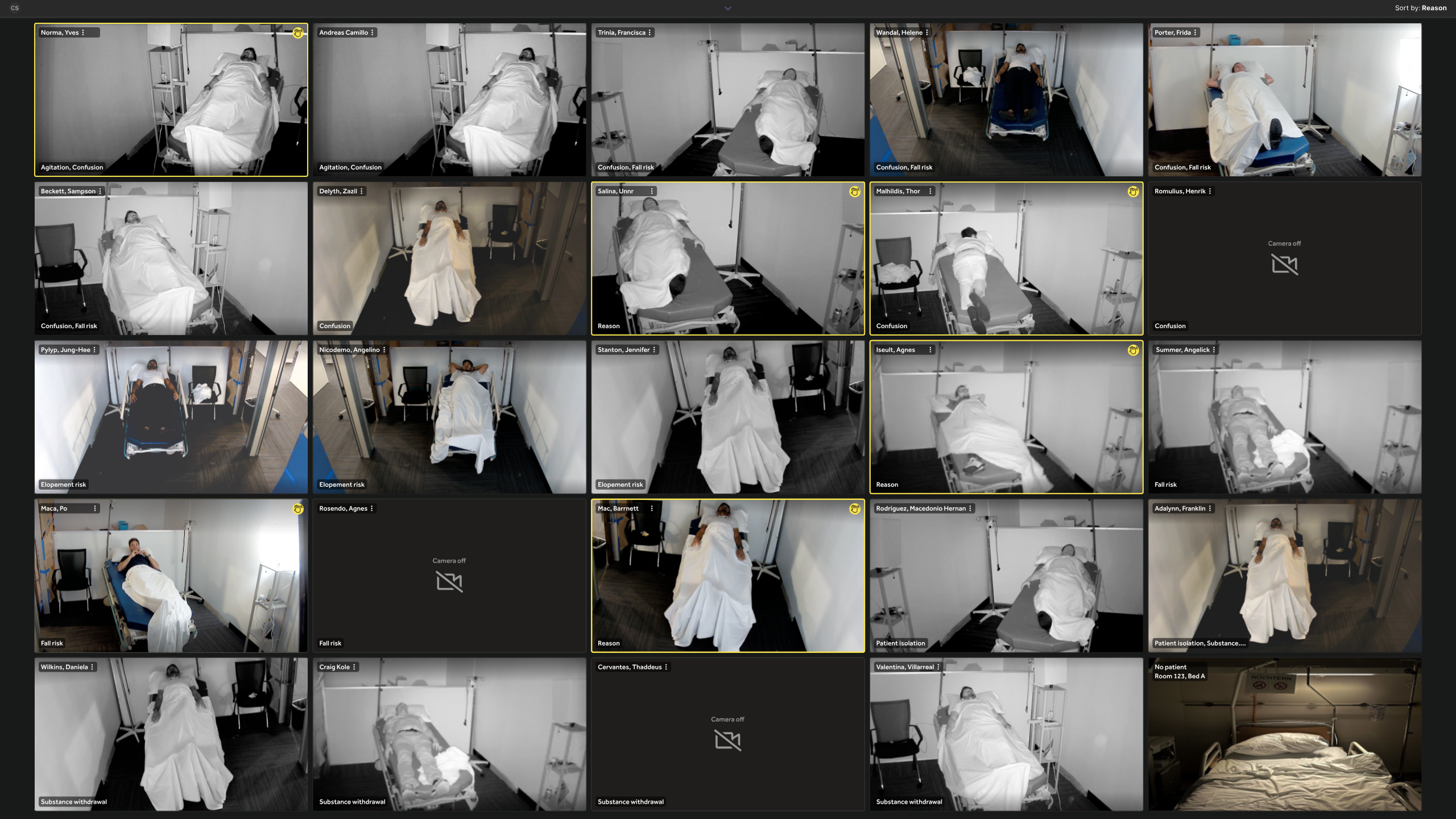
Motion alerts surface the patients who need attention first
A grid that scales to any room
Sitters watch 8 to 25 patients at once. I designed a responsive grid that fills the window and scales tiles to the largest size possible. Tiles grow and shrink with patient count and screen size, the layout reflows smoothly as patients connect or drop, and it adapts across everything from 4K TVs to standard HD monitors.
To show this fluid behavior, I moved beyond Figma and built a live prototype in v0.dev, letting the team explore how the grid responds in real time to feed count and display size in a way static mockups could not.
Drag the bottom edge to resize and watch the grid adapt
Dynamic video grid: resize the window to see the grid respond
The result kept subtle cues, a posture shift, a limb moving, early agitation, visible across every hardware setup.
Tile sorting for faster triage
Every shift is different, so I gave sitters two ways to reorder tiles. Drag-and-drop reprioritizes patients in the moment by behavior or risk, and a sort dropdown orders tiles by room number, nurse assignment, or severity. Sitters respond faster to high-risk patients while staying consistent across shifts and locations.
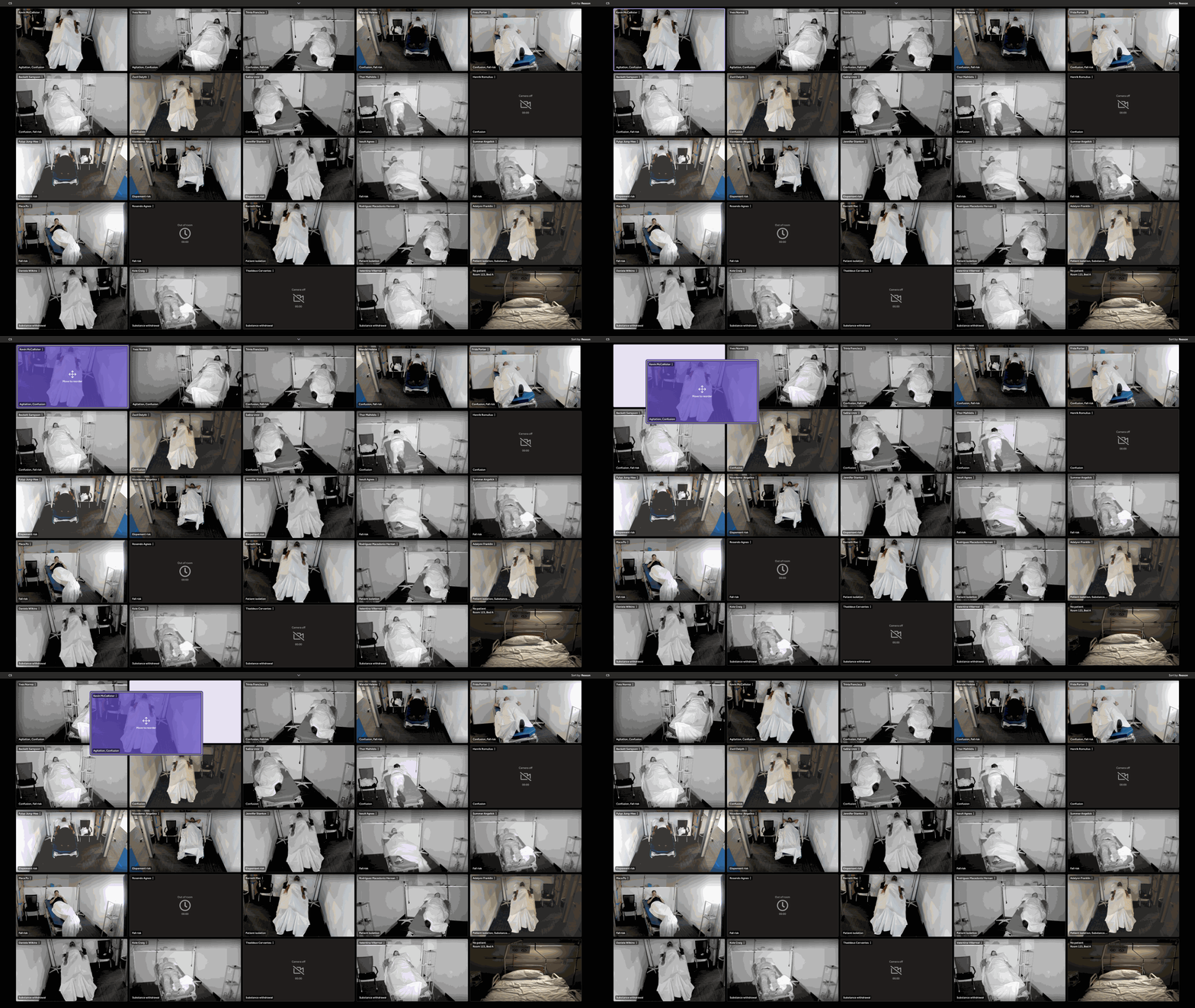
Drag-and-drop prioritization
Reporting patient events
Sitters log events like falls and interventions to anticipate needs and plan responses. A collapsible list of pre-configured options lets them capture an incident and add a comment fast, then collapse it again to stay focused on patients. That record helps other sitters and managers spot incidents and lets hospitals measure how well their sitter program works.
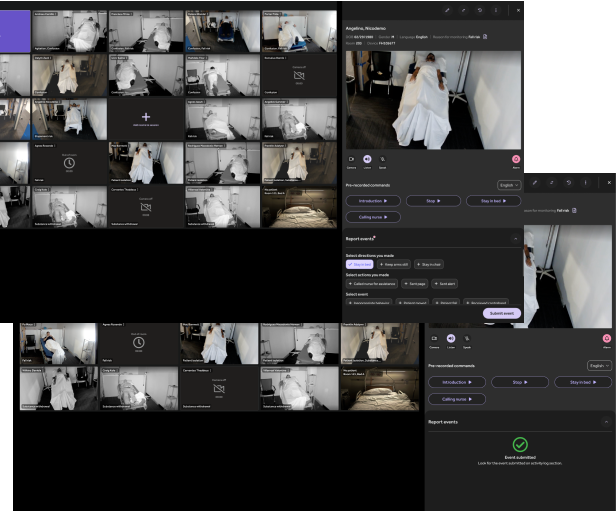
Event documentation inside the monitoring grid
Impact
Faster response, fewer alerts, real adoption
The work cut time-on-task by 20% for redirecting patients and alerting nurses, and dropped non-critical sitter alerts by 35%. More than 10 hospital systems adopted the platform, 3 of them switching from legacy competitors on the strength of usability and faster time-to-action. In 2024 it won the Illumi Award for Excellence in Clinical Usability.
"I wish my workplace implemented virtual sitter way sooner."
UX became a competitive advantage in RFPs and a pillar of Teladoc's inpatient strategy. The product keeps evolving, and after conversations with several customers we folded virtual sitters into the Inpatient Connected Care product, so facilities can staff virtual or hybrid inpatient care with the people they already have.